

Tables are a great way to integrate your content in lesser space. Now, the question is how to make them in HTML. Well, HTML provides a <table></table> tag to insert your table in HTML page. Suppose, I want to create a table to record a top player from each cricket team (World class) .Let me first show you a basic structure-

So, a table is created inside <table></table> tag. Then, to insert a row (remember rows are horizontal, columns are vertical), we use <tr></tr> (table row) tag . Inside <tr>, we use <td></td> (tabular data) . Within <td></td>, we write our content of table. So, where are columns?
The content which you will insert inside <td></td> will make a separate column. For eg. in above code, I have used two <td></td> tags inside each row. It means, I have designed 4X2 table (4 rows, 2 columns).
The output of above code will be something like-
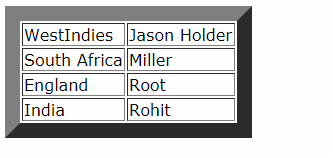
This border may differ in other browsers. I am using advanced version of Opera, so its something different from other browsers. For practical, try running the code after removing border property inside <table> tag and see the effect.
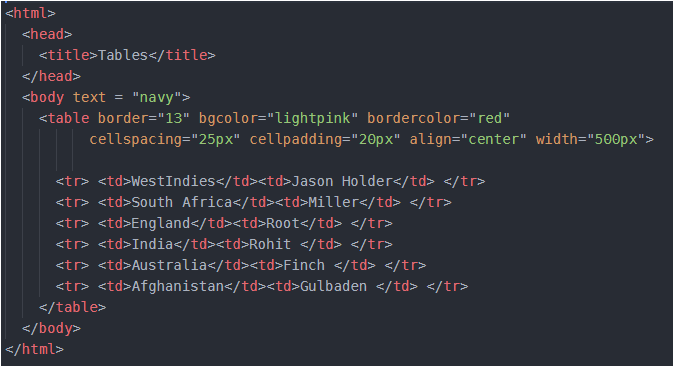
Like this border property, we have many more properties which we can use inside table tag, I will share some common ones-
width – sets the width of table ; align – positions the table in the web page ; bgcolor – sets the background color of the table ; background – we can set image as the background of the table, but remember that image should be in the same folder.
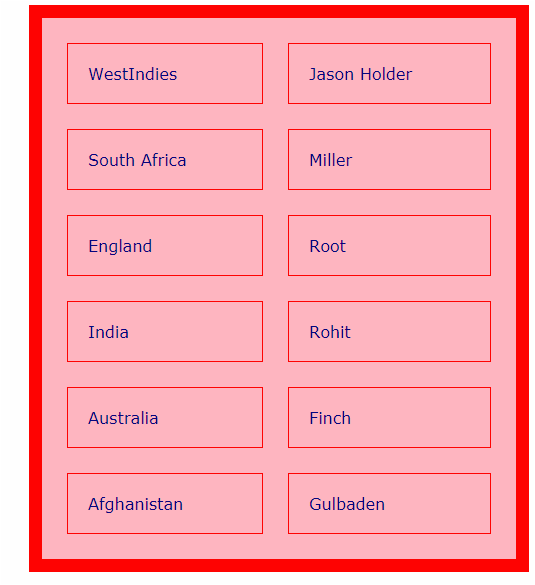
cellspacing – cells are the boxes which contains our content. In above code, I have created 8 cells look carefully. So the space between these cells is cell spacing and we can use this property to increase/decrease the space between cells.
cellpadding – the space between cell and the content in that cell is cell padding.
Let’s implement the above properties in one code. You can create your own table simply by playing with the values in each property.
And it will result the following output-
We can set the content of each row in center by inserting align property – <tr align="center"> or if we wish to align the content of particular cell use- <th align="center">.
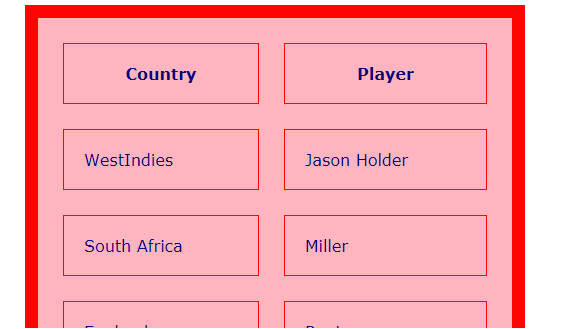
We can add heading for each column using <th> tag. We need to replace <td> with <th>. That’s it ! . Content inside ‘th’ tag is always in bold, as well as, is aligned at center. . It works as follows-
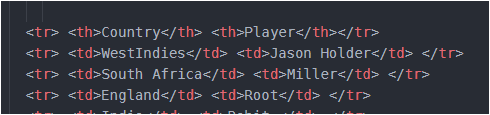
We only need to look at the first line. Look, I have used <th> in first row to make ‘Country’ and ‘Player’ as heading of their columns. Now look at its output-
Now, if we want to merge two rows, we use rowspan and if we want to merge two columns, we use colspan.
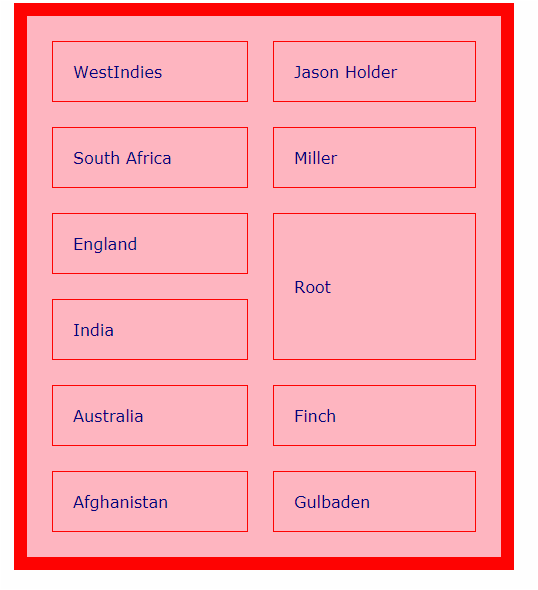
Suppose, if we want to merge ‘Root and Rohit’ into one and name it as ‘Root’, then this is called rowspan. It’s code will be-

And this will output –
Similarly, if we want to merge columns then –

Run above code and analyse the result. For better understanding of rowspan and colspan, compare both the above codes with original code.
<caption></caption> tag is used to set a small 2-3 word title for the table. Remember it is a paired tag, since it has both opening and closing tags. Caption tag is used after all the rows are done, but before the end of </table> table tag.
So just before this tag </table>, we can write –
<caption align="bottom">Table 8.1</caption>
This will insert a caption at the bottom of the table. We can use align as “top” also, as per our preference. And can insert any piece of content, I have written ‘Table 8.1’, you can write anything.
If you face any issue in above post,share here in comments.
Have ERROR FREE coding.







 LearnersZone